A clean, responsive UI helps you react faster, track key info, and enjoy longer play sessions without fatigue
With changes coming in midnight expansion I have decided to ditch a bunch of addons and fall back to the default ui. Below are strings you can use to setup a default layout for both 1080p and 1440p monitors. I also have one for the steam deck / handheld pcs.
Screenshot is to show the layout of all the items. You are best to disable items you don’t need or use along with the action bars. I suggest to enable action bars 1-5. 6 onwards to disable.
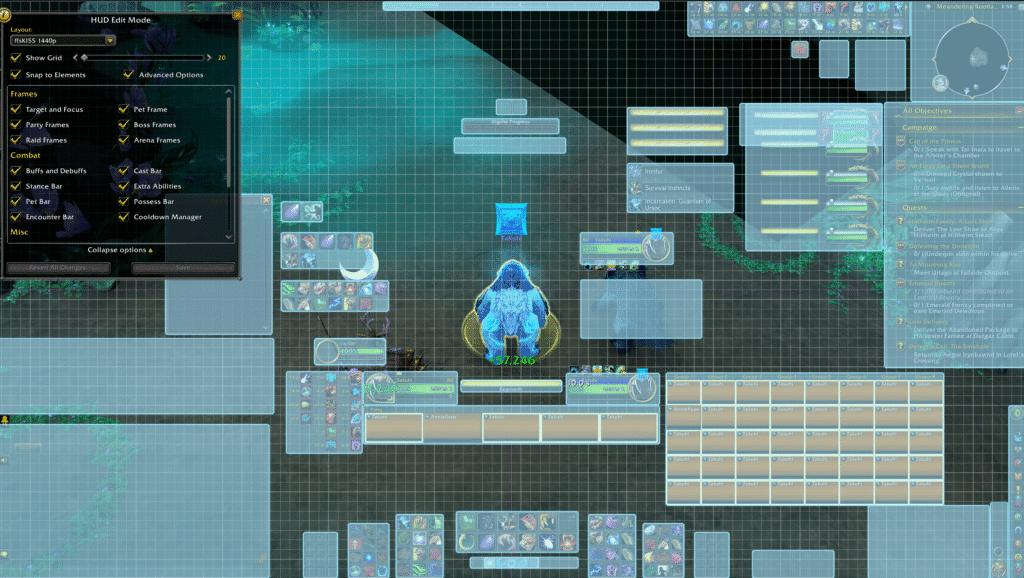
Copy and paste the string below
1 43 0 0 0 1 1 UIParent 12.0 -1062.0 -1 ##$%%/&''%)$+$,$ 0 1 0 7 7 UIParent -190.6 2.0 -1 ##$'%/&%'%(#,$ 0 2 0 7 7 UIParent 209.3 2.0 -1 ##$'%/&%'%(#,$ 0 3 0 7 7 UIParent 316.3 2.0 -1 #$$&%/&$'%(#,$ 0 4 0 7 7 UIParent -296.3 2.0 -1 #$$&%/&$'%(#,$ 0 5 0 7 7 UIParent 586.0 2.0 -1 ##$%%/&$'%(#,$ 0 6 0 7 7 UIParent -396.8 2.0 -1 ##$'%/&#'%(#,$ 0 7 0 7 7 UIParent 416.8 2.0 -1 ##$'%/&#'%(#,$ 0 10 0 7 7 UIParent 0.0 22.0 -1 ##$$&%'% 0 11 0 7 7 UIParent 26.7 22.0 -1 ##$$&%'%,# 0 12 0 4 4 UIParent 0.0 380.0 -1 ##$$&('% 1 -1 0 1 1 UIParent 0.0 -702.0 -1 ##$#%$ 2 -1 0 2 2 UIParent 0.0 0.0 -1 ##$#%& 3 0 0 1 1 UIParent -221.0 -666.0 -1 $#3# 3 1 0 1 1 UIParent 222.0 -664.0 -1 %$3# 3 2 0 7 7 UIParent 182.0 844.0 -1 %#&$3# 3 3 0 0 0 UIParent 768.8 -820.0 -1 '$(#)$-U.G/#1#3# 3 4 0 0 0 UIParent 764.8 -822.0 -1 ,#-W.=/#0$1#2( 3 5 0 2 2 UIParent -296.0 -213.3 -1 &$*$3# 3 6 0 2 2 UIParent -296.0 -213.3 -1 -#.#/#4# 3 7 0 0 6 PlayerFrame 15.4 16.3 -1 3) 4 -1 0 4 4 UIParent -3.0 300.0 -1 # 5 -1 0 7 7 UIParent 507.0 402.0 -1 # 6 0 0 2 0 MinimapCluster -4.0 0.0 -1 ##$#%#&3(&)( 6 1 0 2 0 PlayerFrame 16.0 -16.0 -1 #$$#%#')(&)( 7 -1 0 1 1 UIParent -779.5 -702.0 -1 # 8 -1 0 7 7 UIParent -783.0 34.0 -1 #($(%%&< 9 -1 0 4 4 UIParent 600.0 500.0 -1 # 10 -1 0 1 1 UIParent -608.0 -402.0 -1 # 11 -1 0 8 6 BagsBar -3.5 0.5 -1 # 12 -1 0 2 8 MinimapCluster 0.0 -4.0 -1 #2$#%# 13 -1 0 8 8 UIParent 0.0 0.0 -1 #$$#%%&' 14 -1 0 8 6 MicroMenuContainer -3.5 -0.5 -1 #$$#%# 15 0 0 7 7 UIParent 20.0 1182.0 -1 # 15 1 0 7 7 UIParent 20.0 1182.0 -1 # 16 -1 0 4 4 UIParent 671.0 480.0 -1 #( 17 -1 0 7 7 UIParent 345.0 882.0 -1 ## 18 -1 0 1 1 UIParent 767.2 -81.6 -1 #) 19 -1 0 4 4 UIParent -2.0 340.0 -1 ## 20 0 0 4 4 UIParent -235.8 -40.0 -1 ##$)%$&%'((-($)#+$,$-$ 20 1 0 1 1 UIParent 0.0 -762.0 -1 ##$*%$&('%(-($)#+$,$-$ 20 2 0 1 1 UIParent -435.5 -622.0 -1 ##$$%$&('((-($)#+$,$-$ 20 3 0 1 1 UIParent -228.0 -442.0 -1 #$$$%#&('((-($)#*#+$,$-$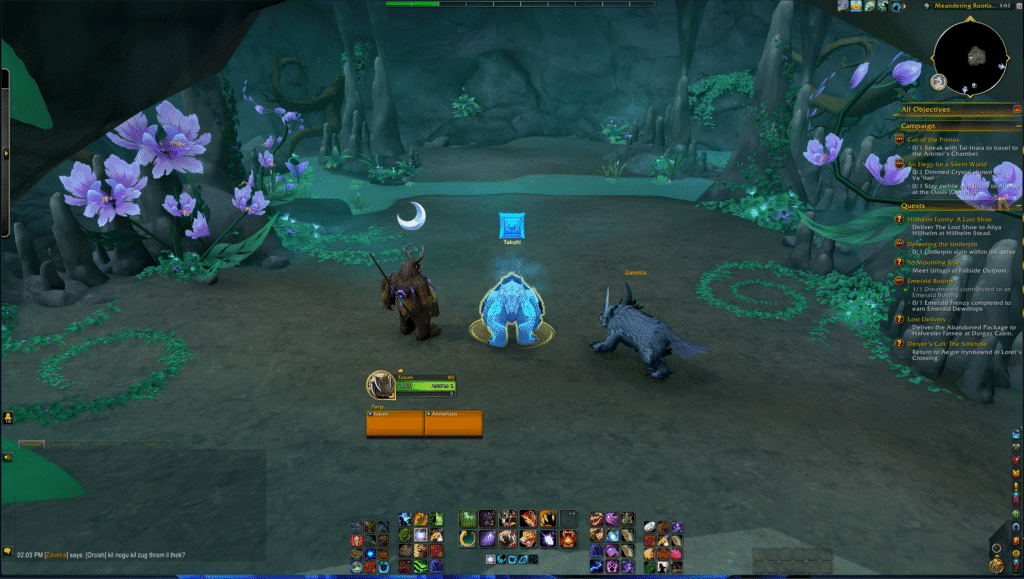
Screenshot is to show the layout of all the items. You are best to disable items you don’t need or use along with the action bars. I suggest to enable action bars 1-5. 6 onwards to disable.
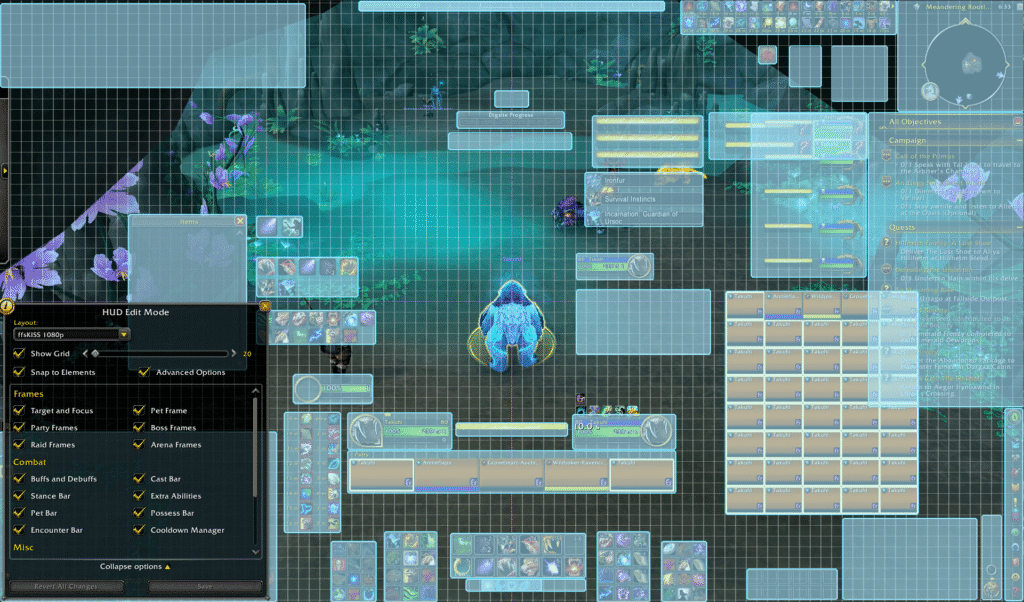
Copy and paste the string below
1 43 0 0 0 7 7 UIParent 12.0 46.5 -1 ##$%%/&''%)$+$,$ 0 1 0 7 7 UIParent -189.4 2.0 -1 ##$'%/&%'%(#,$ 0 2 0 7 7 UIParent 209.3 2.0 -1 ##$'%/&%'%(#,$ 0 3 0 7 7 UIParent 323.7 2.0 -1 #$$&%/&$'%(#,$ 0 4 0 7 7 UIParent -296.3 2.0 -1 #$$&%/&$'%(#,$ 0 5 0 7 7 UIParent 526.0 6.5 -1 ##$%%/&$'%(#,$ 0 6 0 7 7 UIParent -396.8 2.0 -1 ##$'%/&#'%(#,$ 0 7 0 7 7 UIParent 416.8 2.0 -1 ##$'%/&#'%(#,$ 0 10 0 7 7 UIParent 0.0 22.0 -1 ##$$&%'% 0 11 0 7 7 UIParent 26.7 22.0 -1 ##$$&%'%,# 0 12 0 4 4 UIParent 0.0 380.0 -1 ##$$&('% 1 -1 0 4 4 UIParent 0.0 -234.0 -1 ##$#%$ 2 -1 0 2 2 UIParent 0.0 0.0 -1 ##$#%& 3 0 0 4 4 UIParent -202.0 -160.5 -1 $#3# 3 1 0 1 1 UIParent 218.0 -668.5 -1 %$3# 3 2 0 7 7 UIParent 193.5 592.5 -1 %## 3 3 0 0 0 UIParent 662.0 -821.0 -1 '$(#)$-U.=/#1#3# 3 4 0 0 0 UIParent 1338.0 -610.0 -1 ,%-#.#/#0&1#2( 3 5 0 2 2 UIParent -296.0 -213.3 -1 &#*$3# 3 6 0 2 2 UIParent -294.0 -211.3 -1 -#.#/#4# 3 7 0 0 6 PlayerFrame 15.4 16.3 -1 3) 4 -1 0 4 4 UIParent -3.0 300.0 -1 # 5 -1 0 7 7 UIParent 247.0 466.5 -1 # 6 0 0 2 0 MinimapCluster -4.0 0.0 -1 ##$#%#&3(%)( 6 1 0 4 4 UIParent -366.0 -240.0 -1 #$$#%#'+(&)( 7 -1 0 4 4 UIParent -673.0 480.0 -1 # 8 -1 0 7 7 UIParent -783.0 34.0 -1 #'$`%%&< 9 -1 0 1 1 UIParent 480.0 -86.5 -1 # 10 -1 0 1 1 UIParent -608.0 -402.0 -1 # 11 -1 0 7 7 UIParent 747.0 6.5 -1 # 12 -1 0 2 8 MinimapCluster 0.0 -4.0 -1 #2$#%# 13 -1 0 1 1 UIParent 942.2 -766.5 -1 #$$#%%&' 14 -1 0 1 1 UIParent 900.9 -966.0 -1 #$$#%# 15 0 0 1 1 UIParent 0.0 -2.0 -1 # 15 1 0 1 1 UIParent 0.0 -2.0 -1 # 16 -1 0 1 1 UIParent 551.0 -86.5 -1 #( 17 -1 0 4 4 UIParent 255.0 300.0 -1 ## 18 -1 0 1 1 UIParent 652.8 -86.1 -1 #) 19 -1 0 4 4 UIParent -2.0 340.0 -1 ## 20 0 0 1 1 UIParent -383.5 -482.0 -1 ##$(%$&%'((-($)#+$,$-$ 20 1 0 1 1 UIParent -367.0 -582.0 -1 ##$*%$&('%(-($)%+$,$-$ 20 2 0 4 4 UIParent -435.5 140.0 -1 ##$$%$&('((-($)#+$,$-$ 20 3 0 7 7 UIParent 248.0 706.5 -1 #$$$%#&('((-($)#*#+$,$-$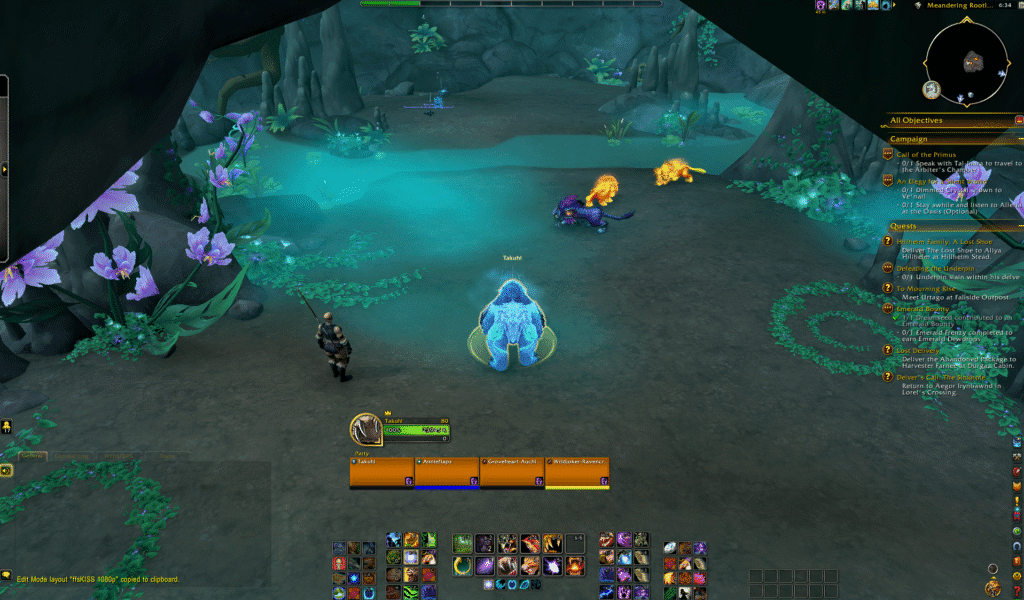
Screenshot is to show the layout of all the items. You are best to disable items you don’t need or use along with the action bars. I suggest to enable action bars 1-3. 4 onwards to disable. Screen estate is valuable so you may have to disable other things like arena frames? Works best with addon console port.
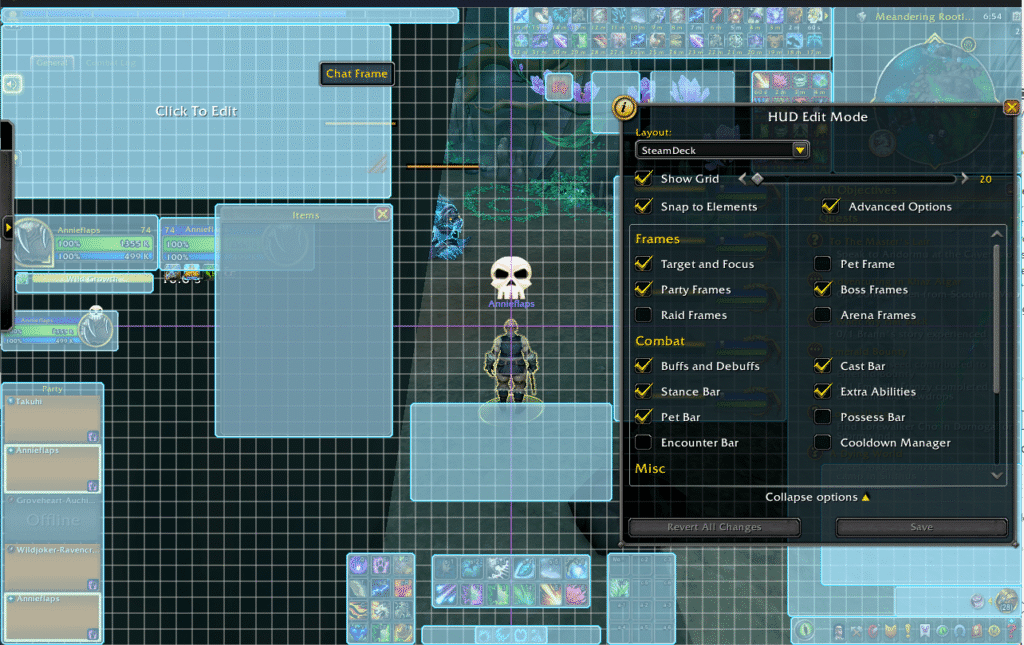
Copy and paste the string below
1 43 0 0 0 4 4 UIParent 0.0 -320.0 -1 ##$%%/&%'%)$+$,$ 0 1 0 7 7 UIParent -163.7 2.0 -1 ##$'%/&$'%(#,$ 0 2 0 7 7 UIParent 163.7 2.0 -1 ##$'%/&$'%(#,$ 0 3 0 7 7 UIParent 323.7 2.0 -1 #$$&%/&$'%(#,$ 0 4 0 7 7 UIParent -296.3 2.0 -1 #$$&%/&$'%(#,$ 0 5 0 7 7 UIParent 526.0 6.5 -1 ##$%%/&$'%(#,$ 0 6 0 7 7 UIParent -396.8 2.0 -1 ##$'%/&#'%(#,$ 0 7 0 7 7 UIParent 416.8 2.0 -1 ##$'%/&#'%(#,$ 0 10 0 7 7 UIParent 0.0 2.0 -1 ##$$&%'% 0 11 0 7 7 UIParent 0.0 2.0 -1 ##$$&%'%,# 0 12 0 4 4 UIParent 0.0 380.0 -1 ##$$&('% 1 -1 0 2 8 PlayerFrame -24.0 11.0 -1 ##$$%$ 2 -1 0 2 2 UIParent 0.0 0.0 -1 ##$#%& 3 0 0 1 1 UIParent -542.0 -246.0 -1 $$3# 3 1 0 6 8 PlayerFrame -34.0 -1.0 -1 %#3# 3 2 0 1 1 UIParent -566.5 -368.0 -1 %## 3 3 0 0 0 UIParent 2.0 -472.0 -1 '$(#)#-U.=/#1#3# 3 4 0 0 0 UIParent 1279.0 -546.5 -1 ,%-#.3/#0&1#2( 3 5 0 2 2 UIParent -296.0 -213.3 -1 &#*$3# 3 6 0 2 2 UIParent -294.0 -211.3 -1 -#.#/#4# 3 7 0 1 1 UIParent -335.4 -698.7 -1 3) 4 -1 0 4 4 UIParent -3.0 300.0 -1 # 5 -1 0 7 7 UIParent 0.0 182.0 -1 # 6 0 0 2 0 MinimapCluster -4.0 0.0 -1 ##$#%#&3(%)( 6 1 0 8 6 MinimapCluster -4.0 0.0 -1 ##$#%$''(%)( 7 -1 0 4 4 UIParent -673.0 480.0 -1 # 8 -1 0 0 0 UIParent 34.0 -83.0 -1 #'$@%$&: 9 -1 0 4 4 UIParent 60.0 300.0 -1 # 10 -1 0 7 7 UIParent -260.0 262.0 -1 # 11 -1 0 8 2 BagsBar -0.5 3.5 -1 # 12 -1 0 0 0 UIParent 1018.0 -213.3 -1 #2$#%# 13 -1 0 1 1 UIParent 942.2 -766.5 -1 ##$#%%&' 14 -1 0 8 2 MicroMenuContainer 0.5 3.5 -1 ##$#%# 15 0 0 1 1 UIParent -352.5 -2.0 -1 # 15 1 0 1 1 UIParent -352.5 -2.0 -1 # 16 -1 0 1 1 UIParent 131.0 -82.0 -1 #( 17 -1 0 4 4 UIParent 255.0 300.0 -1 ## 18 -1 0 1 1 UIParent 227.2 -81.6 -1 #) 19 -1 0 4 4 UIParent -2.0 340.0 -1 ## 20 0 0 1 1 UIParent -383.5 -482.0 -1 ##$(%$&%'((-($)#+$,$-$ 20 1 0 1 1 UIParent -367.0 -582.0 -1 ##$*%$&('%(-($)%+$,$-$ 20 2 0 4 4 UIParent -435.5 140.0 -1 ##$$%$&('((-($)#+$,$-$ 20 3 0 7 7 UIParent 248.0 706.5 -1 #$$$%#&('((-($)#*#+$,$-$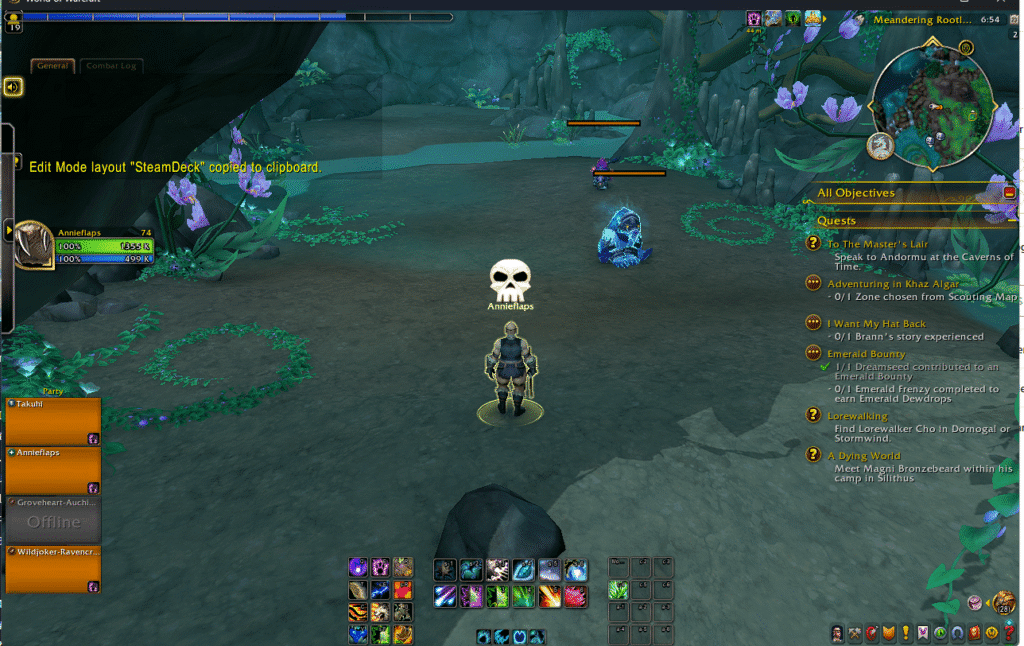
I followed the following guide and it is really good. I have linked to the best in game setting on the video but the full video and much more details guides for overall tweaks to the pc.
Another setting not covered in guides is to apply sharping with the following command, this is my personal preference. you can tone it down or switch it off.
/console set ResampleAlwaysSharpen 1
One simple trick to make your game look 1000x better. : r/wow
Another guide you can follow is Quazii WoW
